Paste
Paste the whole message.
The app finds the name, the PIN code, the phone number and the rest. When it is unsure of a PIN or a phone number it tells you, instead of guessing.
For shops that ship parcels. Take an address the way your customer sent it, a WhatsApp message, a photo or a spreadsheet, and print it on the sticker sheets you already buy.
Coming soon
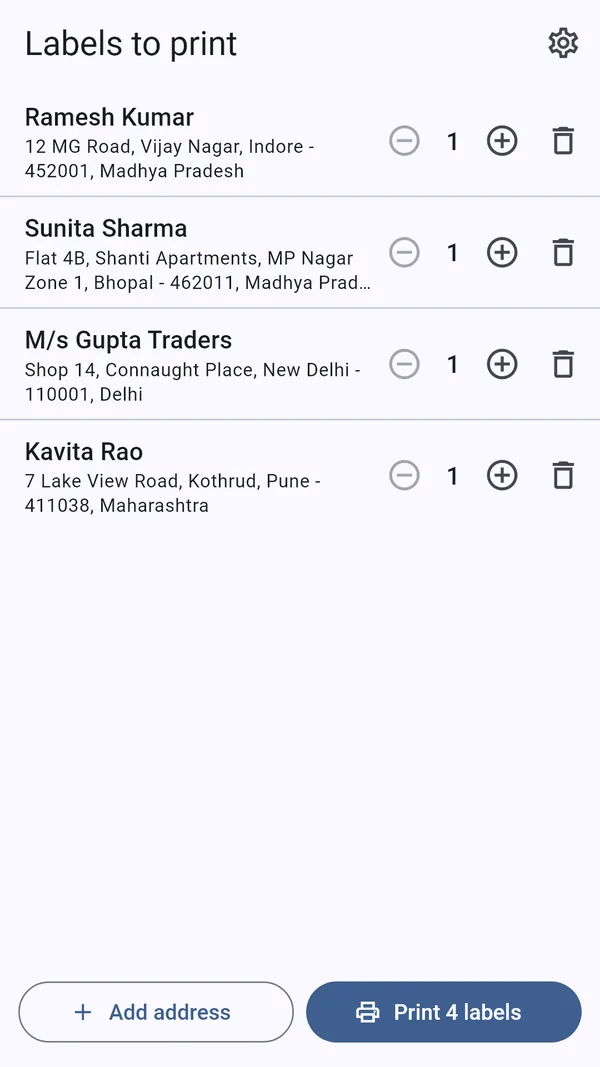
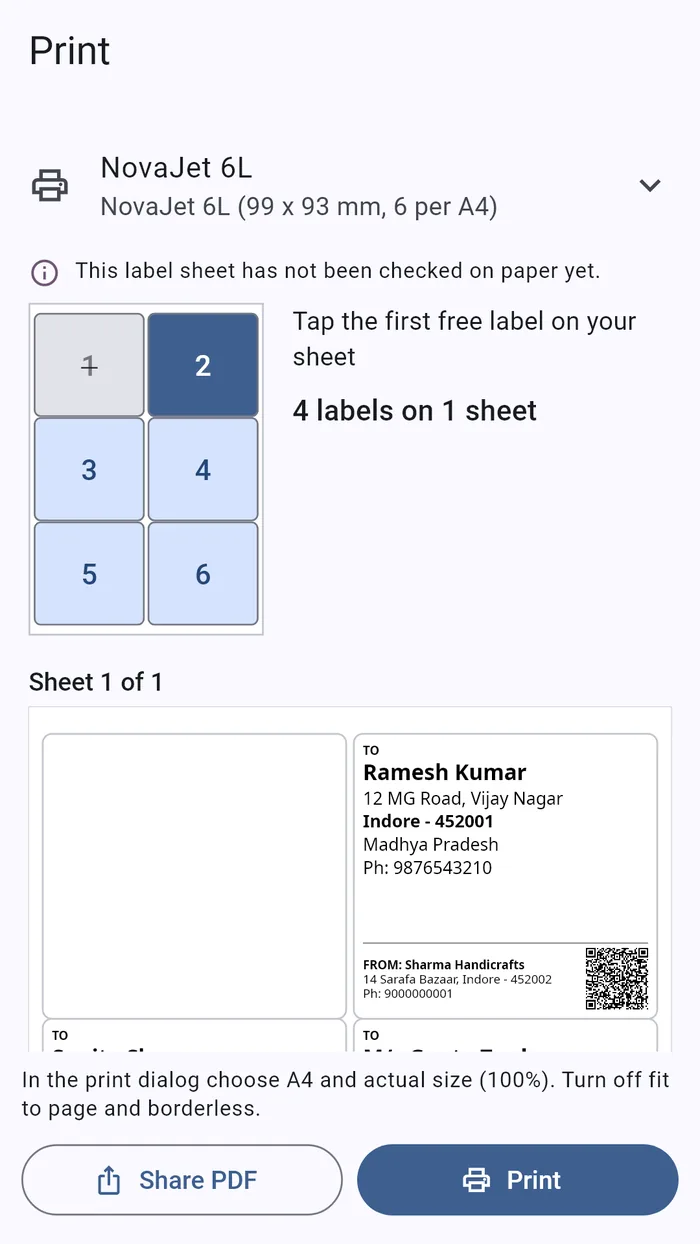
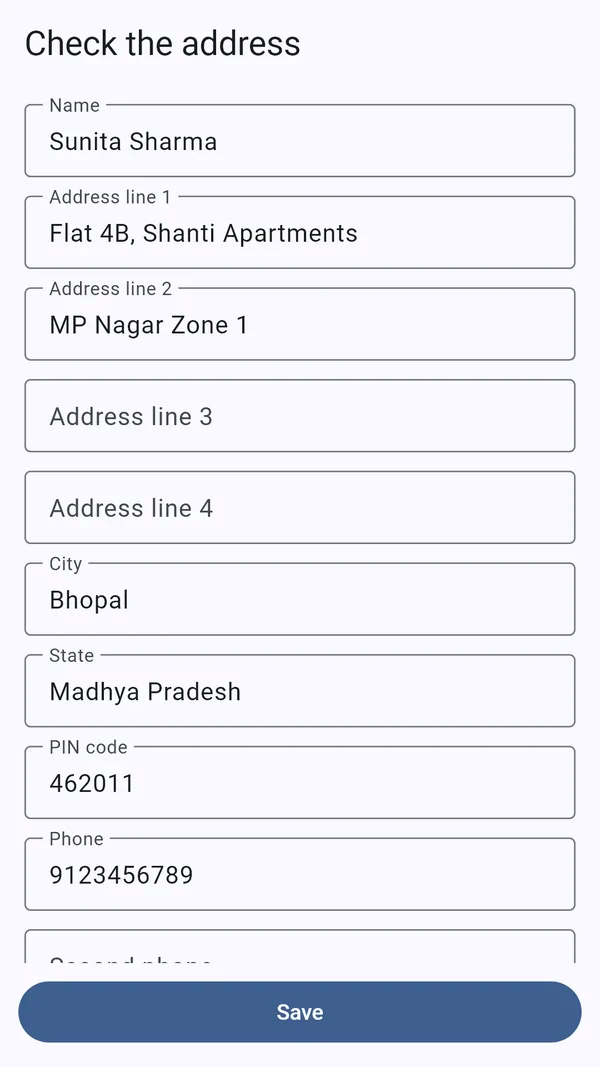
Paste it, scan it or import it. Then print.
Paste
The app finds the name, the PIN code, the phone number and the rest. When it is unsure of a PIN or a phone number it tells you, instead of guessing.
Scan
Read a printed address or a screenshot with the camera, in English or Hindi.
Import
Bring in an Excel or CSV file of orders, or pick a contact from your phone.
Sheets
A4 sheets of 2 to 24 labels, A5 and 4 × 6 inch paper, or measure your own sheet.
Part-used sheets
Tap the first free label, so a sheet you have already used some of is not wasted.
Alignment
An alignment page shows how your printer places the sheet. You correct it once and it is remembered.
Map code
A QR code in the corner opens Google Maps at the receiver’s address, or at the exact pin your customer sent.
Small stickers
Paste a list and print a name, or a note such as Fragile, on each small sticker.
Thermal printers
58 mm and 80 mm receipt printers over Bluetooth. Label-roll printers are supported in Beta.
Private
No account, no ads and no internet permission. Every address stays on your phone.
A customer’s address
The usual wayRead it off WhatsApp and type it again.
With Parcel LabelPaste the message. The fields fill themselves.
A printed address
The usual wayCopy it out by hand.
With Parcel LabelPhotograph it.
A day’s orders
The usual wayOne label at a time.
With Parcel LabelImport the sheet and print them together.
A part-used sheet
The usual wayThrown away.
With Parcel LabelPrinting starts from the first free label.
Finding the address
The usual wayTyped into a map by hand.
With Parcel LabelA QR code on the label opens the map.